Clock-in that proves they were on-site
Staff clock in from their own phone. WagePilot checks GPS once, only at the moment they clock in or out, to confirm they are actually on-site. Where signal is poor, a printed QR code by the till gives them an obvious way in, and that punch is geofenced too whenever the phone can give a position. Nothing to buy: nobody needs a shared tablet, because everyone already has a phone. If you would rather have one clock on the counter, Kiosk mode runs on a tablet you already own.
Geofenced clock-in in the app
Tap to clock in; we check location once, at that moment. GPS with a QR code by the till: no buddy-punching.
Click through it in the live demo, no sign-up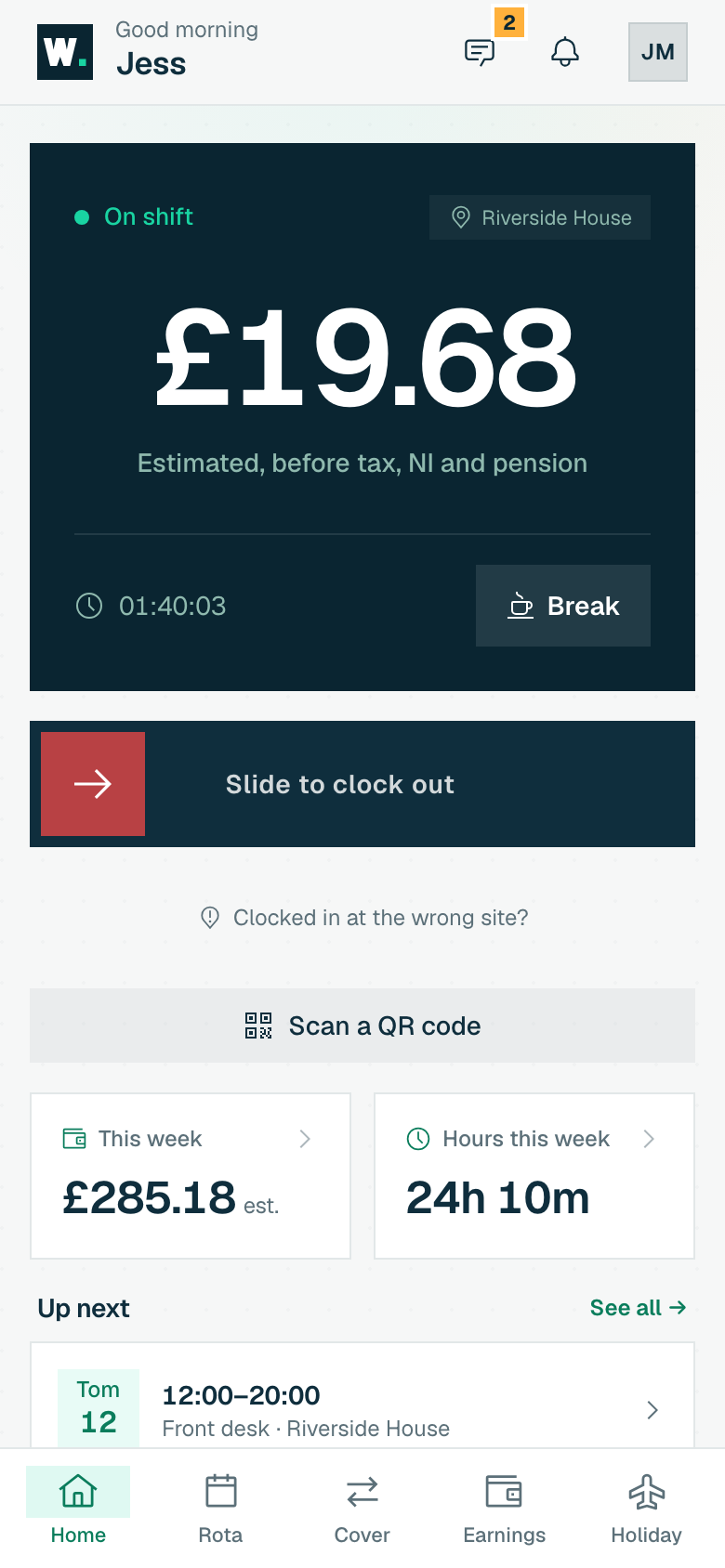
What you get
-
Location checked only at clock-in/out, never continuously tracked
-
Per-site geofence radius you set with a pin on a map
-
Printed QR codes, or a kiosk on a tablet you already own
-
Opening, closing and other checklists for any kind of site, working offline, with tamper-proof records you can print
-
Site access: encrypted entry and alarm codes shown only to the right staff, with a reveal log and a key register
More of what WagePilot does
Geofenced clock-in: common questions
Is WagePilot a GPS time clock app?
Does WagePilot track my staff’s location all day?
How does a geofence clock-in app stop buddy-punching?
What happens if there’s no GPS signal?
Start running shifts on autopilot
Set up your first site this afternoon and watch the first shift tick up live. Free to start, never per head, flat per site as you grow.
Free for one site, up to 3 staff · no card to start · cancel anytime