Approved hours, straight to your payroll
WagePilot is not a payroll bureau, and that is deliberate. Approve a clean week and export the hours as a CSV that drops straight into the payroll you already run: Xero, Sage, BrightPay, QuickBooks and others. You keep your payroll setup; we just hand it clean, approved hours.
CSV export to payroll in the app
Approved hours out to your payroll in one click. Works alongside Xero, Sage & BrightPay; we never touch the pay run itself.
Click through it in the live demo, no sign-up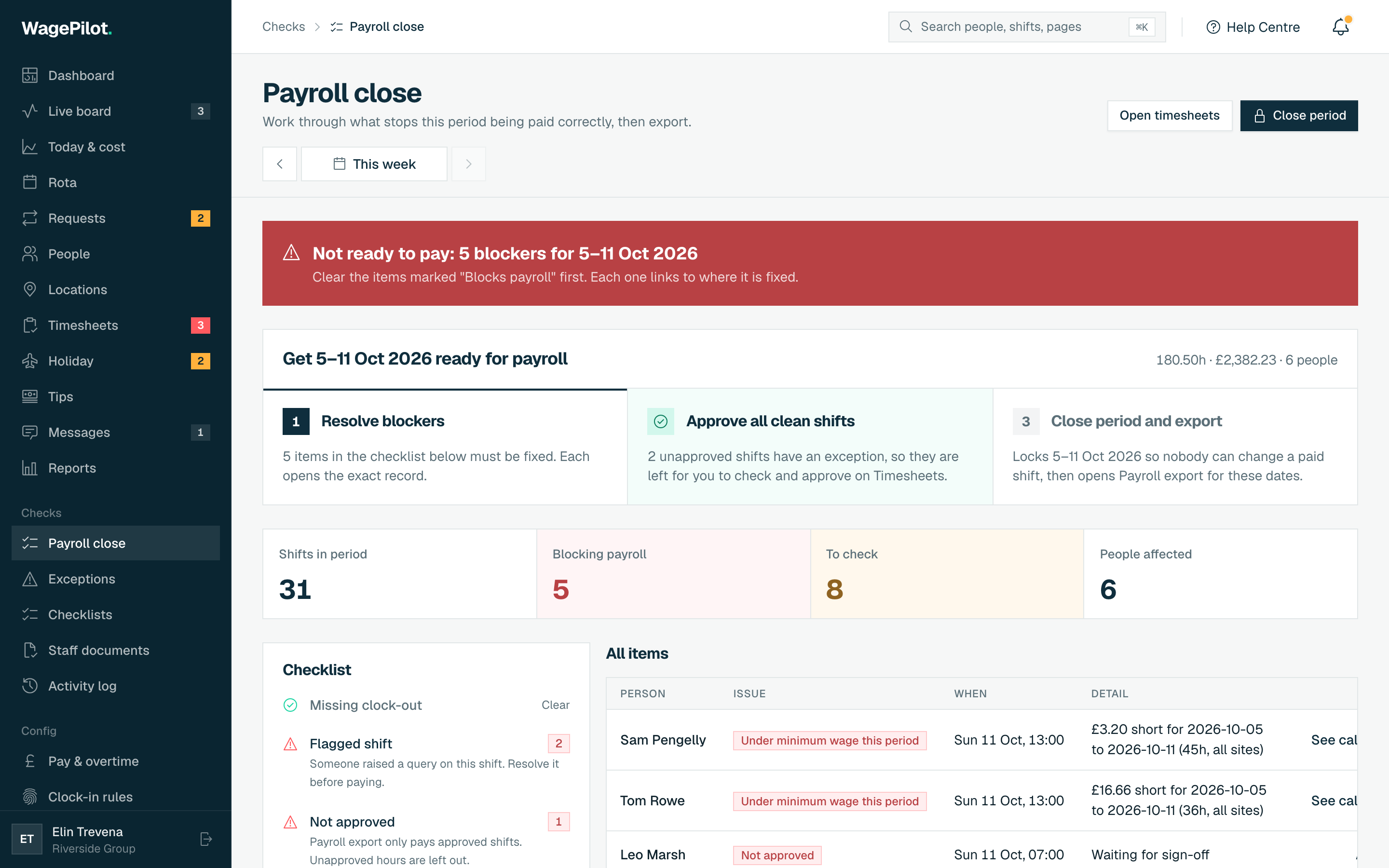
What you get
-
Guided Payroll close: blockers listed with a fix, clean shifts approved in one click
-
Closed weeks are locked: changing one needs a logged reason to reopen
-
Leavers: untaken holiday estimated under the Working Time Regulations and added to the export
-
One-click CSV export of approved hours
-
Sleep-in shifts: a flat allowance, with only time woken to work counted towards the minimum wage, in their own export columns
-
Premium days such as Christmas Eve, paid at the rate you set
-
Works alongside Xero, Sage, BrightPay & QuickBooks
-
Pre-payroll, not payroll: exact hours and estimated gross pay (before tax, NI and pension) for your payroll software or accountant
More of what WagePilot does
Popular with these trades
Related guide
CSV export to payroll: common questions
Does WagePilot run payroll?
How do hours get from WagePilot to Xero or Sage?
Are overtime and unpaid breaks exported correctly?
Start running shifts on autopilot
Set up your first site this afternoon and watch the first shift tick up live. Free to start, never per head, flat per site as you grow.
Free for one site, up to 3 staff · no card to start · cancel anytime