For UK shift teams: Staff clock in on their own phones.
You see who is on shift and what the day is costing as it happens. At the end of the week the timesheet goes to your payroll software.
Clocking in by this afternoon
No hardware, no setup call, no app store. Three steps and about ten minutes.
-
 01 Once, about 10 minutes
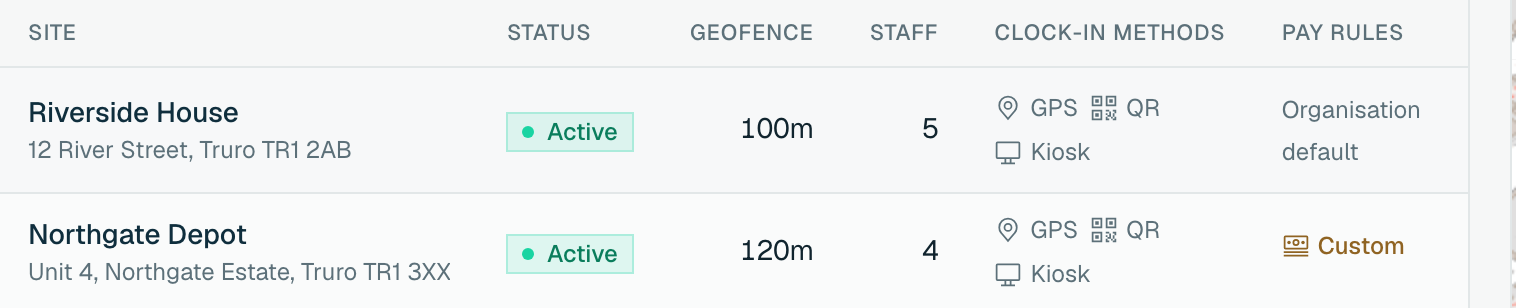
Set up your site
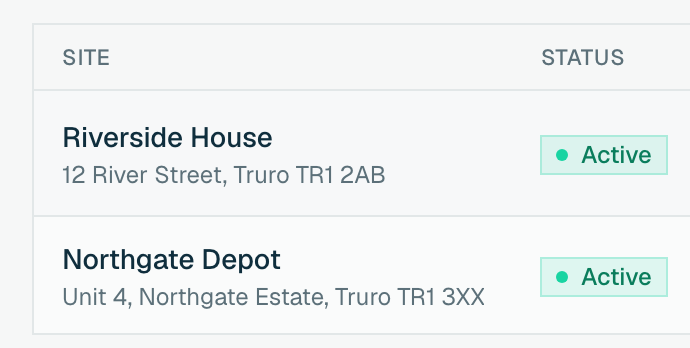
Drop a pin on the map, set how close staff must be to clock in, then add your team and their rates, or import them.
-
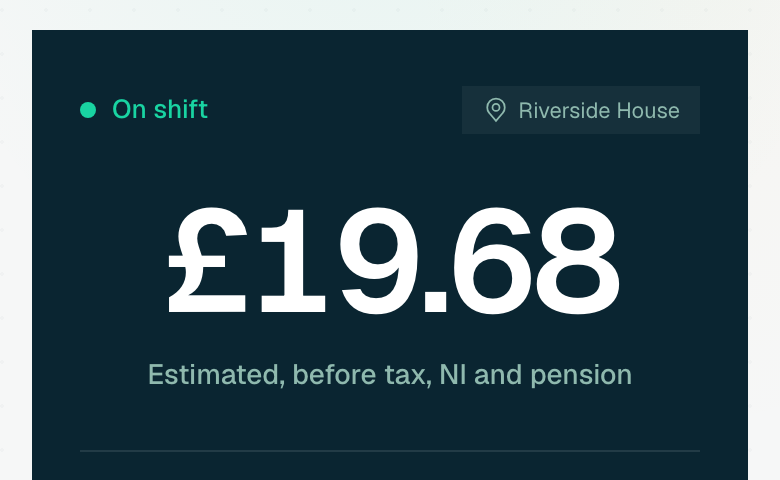 02 Every shift, one tap
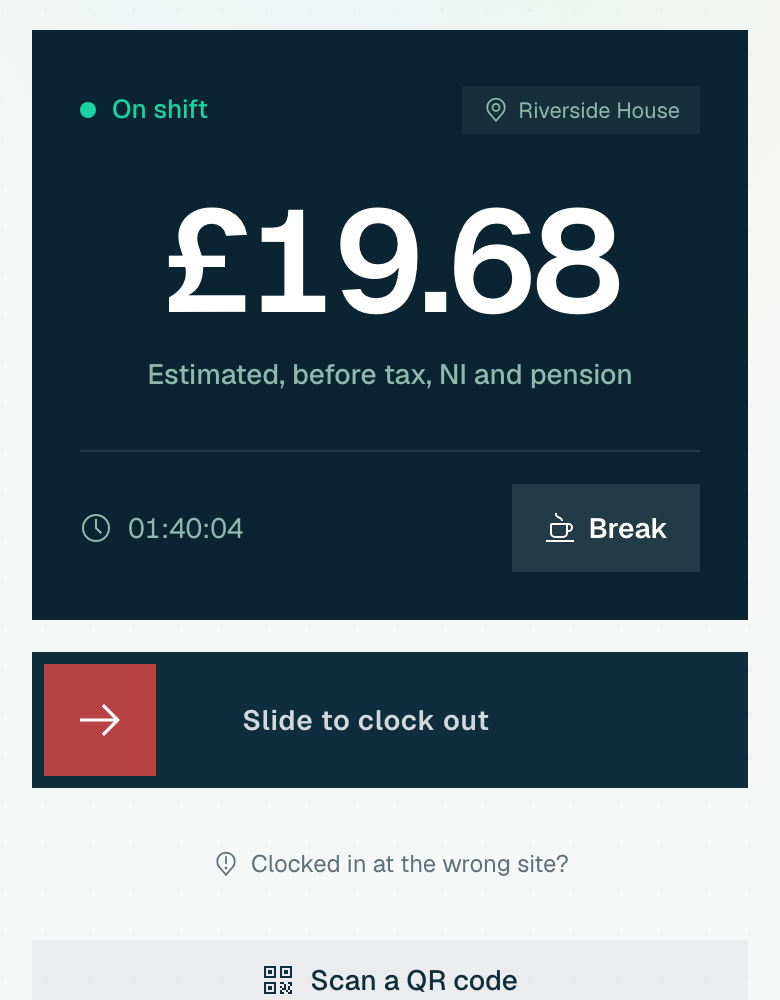
Staff clock in on their phone
Send a join link by WhatsApp or text, or put a QR poster on the wall. They tap it and slide to clock in. No app store and no clocking machine.
-
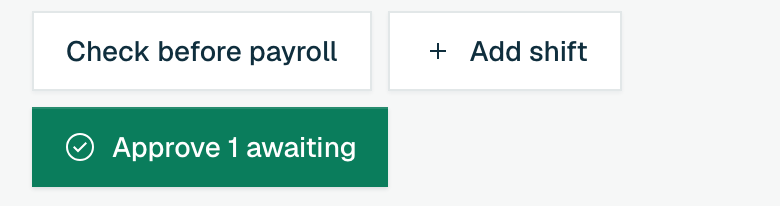 03 Payroll-ready, in a click
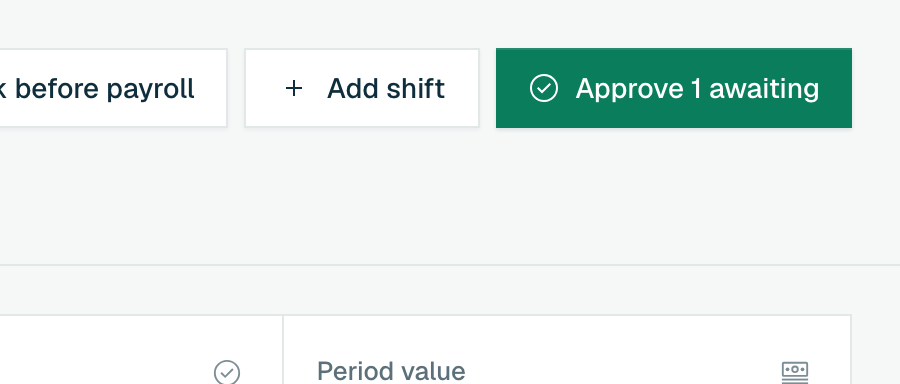
Approve, then export to your payroll
The week arrives as a clean, approved timesheet. Approve it and export the hours and estimated gross to the payroll you already run.
One week, start to payroll
A minute-long walk through the jobs WagePilot takes off your hands: what goes wrong without it, and the screen that fixes it.
The problem: The rota is a photo in the group chat, and nobody spots the clash until the day.
Build the week in minutes, with clashes flagged before you publish.
The problem: Paper sign-in sheets, and hours you have to take on trust.
Staff clock in on their own phone, and you see it on your board straight away.
The problem: You find out someone has not turned up when a customer tells you.
See who is in, who is late, and what today is costing.
The problem: Holiday requests by text, and a balance worked out on the back of an envelope.
One approval inbox that checks the rota for you.
The problem: Friday night spent adding up hours for payroll.
Review the week, close it, and export approved hours.
Read the tour as text
-
Rota. Problem: The rota is a photo in the group chat, and nobody spots the clash until the day. Fix: Build the week in minutes, with clashes flagged before you publish.
- Copy last week in one click.
- Add a Wednesday shift for Sam. WagePilot warns it clashes with his approved holiday.
- Give it to Priya instead. The wage cost updates against your weekly budget.
- Publish. Staff get the rota on their phone.
-
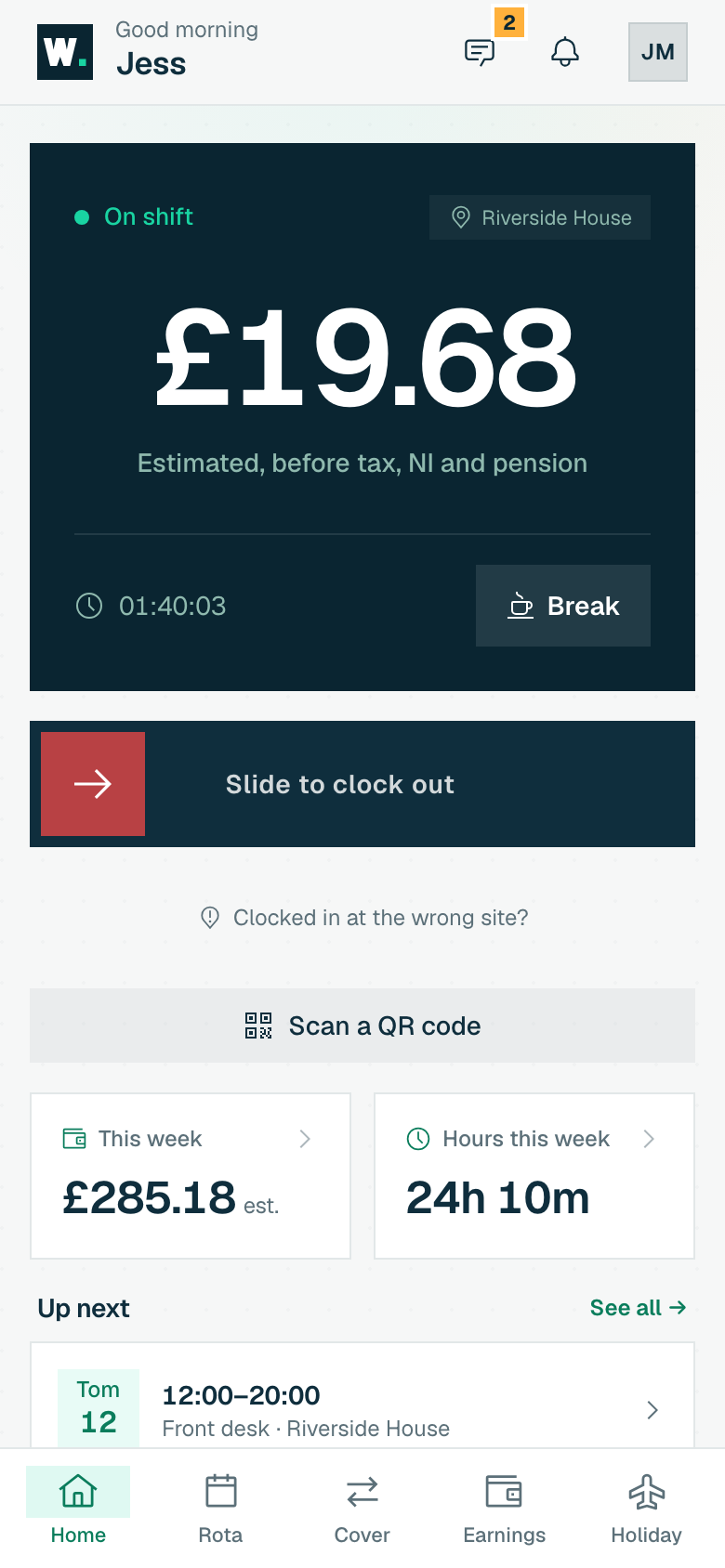
Clock-in. Problem: Paper sign-in sheets, and hours you have to take on trust. Fix: Staff clock in on their own phone, and you see it on your board straight away.
- Jo opens WagePilot on her own phone and slides to clock in. Nothing to buy, no fob to lose.
- Her location is checked once, at that moment, against the radius you set for the site. Never in the background. Outside it, the clock-in is flagged for you.
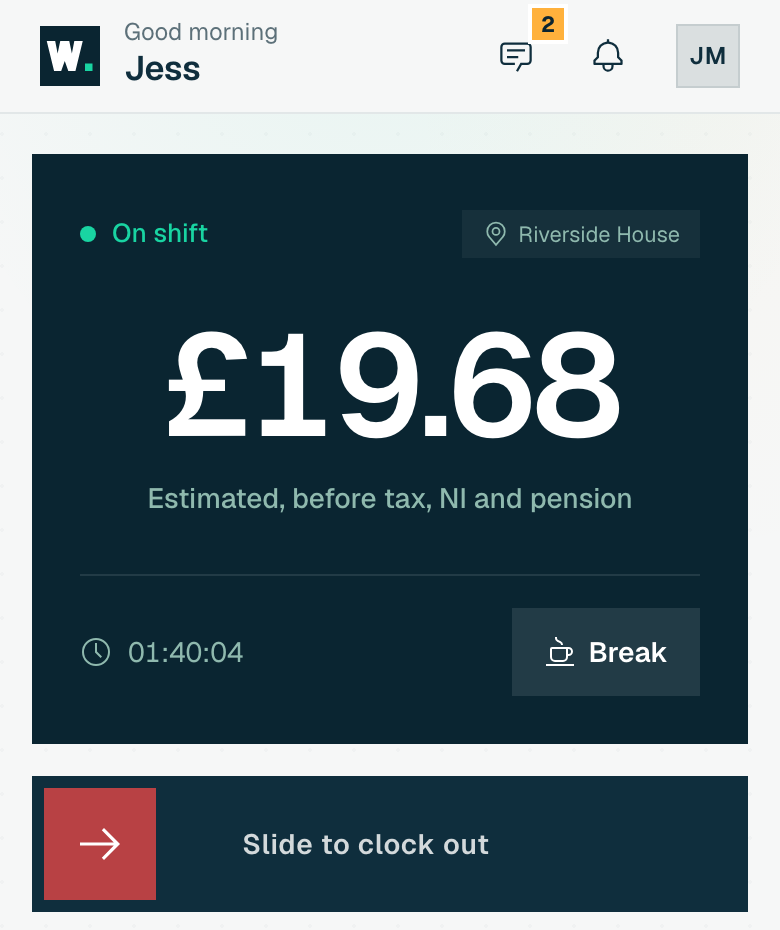
- Clocked in at High Street. Her phone shows time worked and earnings so far, estimated before tax, NI and pension.
- On your live board, Jo is on shift at High Street.
- She taps Start a break. Your board shows her on break, and an unpaid break pauses her earnings.
-
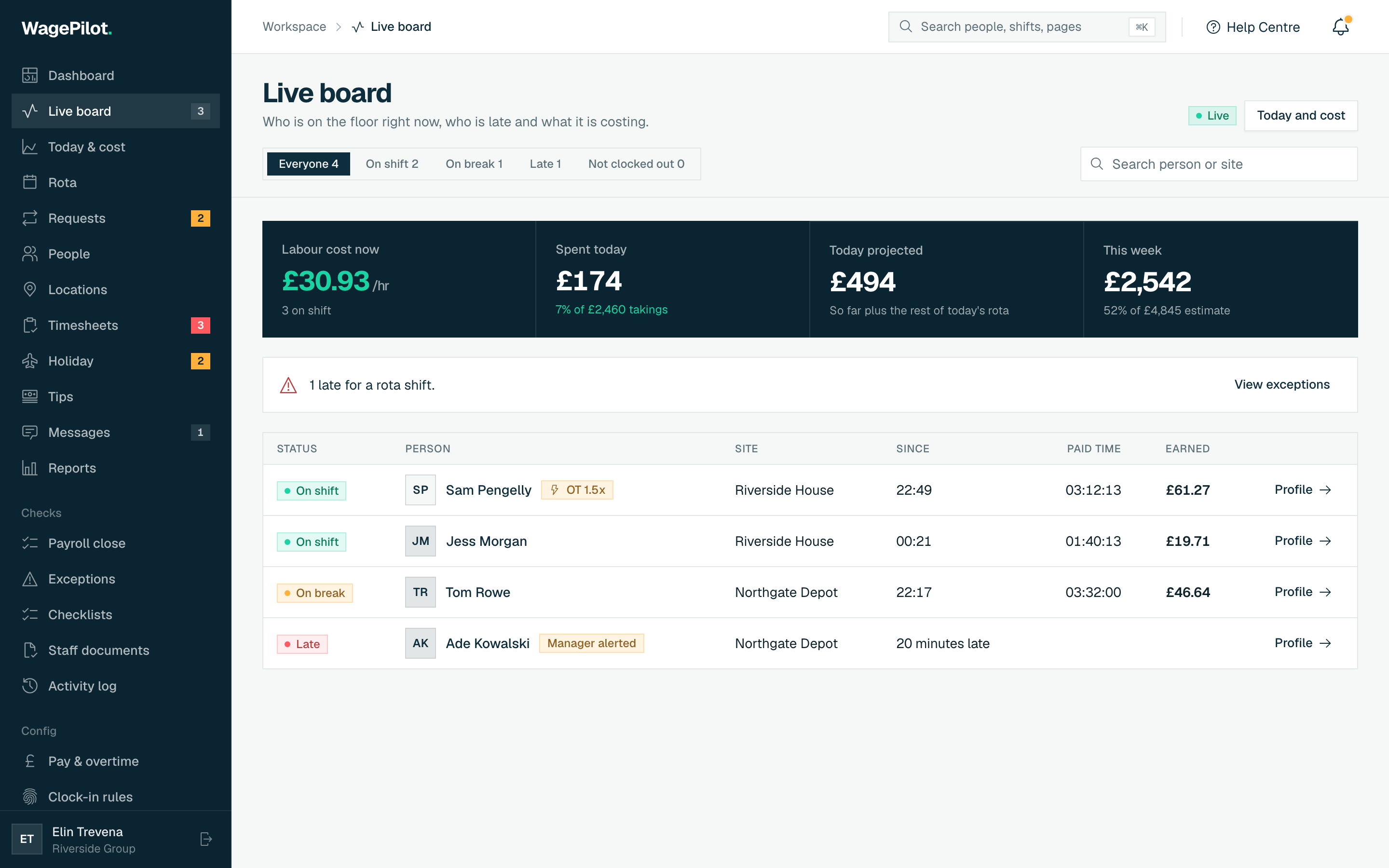
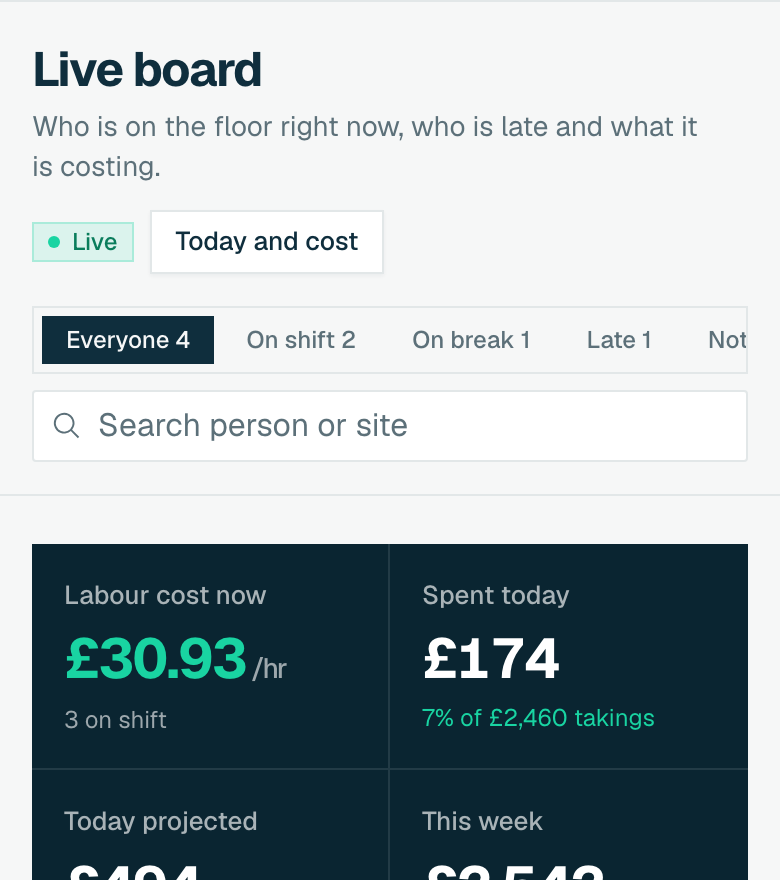
Live board. Problem: You find out someone has not turned up when a customer tells you. Fix: See who is in, who is late, and what today is costing.
- The live board: who is on shift, on break, and at which site.
- Kai is due at 09:00 and has not clocked in. You get a late alert on your phone.
- Labour cost per hour and spend so far today, updating as people clock in.
-
Holiday. Problem: Holiday requests by text, and a balance worked out on the back of an envelope. Fix: One approval inbox that checks the rota for you.
- Sam requests two days off in two taps. It lands in your approval inbox.
- The inbox warns you he is on the rota for one of those days.
- Approve it. His balance updates, and the clash shows on the rota to fix.
- Accrual is worked out for you, including 12.07% of hours worked for irregular-hours and part-year staff (leave years from 1 April 2024).
-
Timesheets & export. Problem: Friday night spent adding up hours for payroll. Fix: Review the week, close it, and export approved hours.
- The week lands ready to review. Problems are flagged, such as no clock-out recorded.
- Fix the missing clock-out. Every edit needs a reason, and staff can see it in the log.
- Approve every clean shift in one click, then close and lock the week.
- Export approved hours as a CSV for the payroll you already use. WagePilot does not run the pay run.
Recorded in the live demo, with example names and figures.
Everything around the clock-in
Replace the paper sign-in sheet, the group-chat rota and the Sunday-night spreadsheet. Rota, attendance, timesheets, holiday, minimum wage and records in one place, ready for the payroll you already run.
Clock in 6 features
Plan the week 6 features
Pay people right 5 features
Stay compliant 4 features
Look after people 5 features
We prepare payroll, we do not run it. Keep your payroll provider, lose the spreadsheet. Money shown is an estimate before tax and NI; tags mark paid-plan features.
See who is in, and what it is costing
Five owner screens you will use every week. Click through them here, or drive them all in the live demo.
A running total of what every site is costing right now, summed from everyone on shift. Catch an over-staffed shift before it is paid.
- Late and no-show alerts to your phone
- Who's in, who's on break and at which site, on one live board
- Hours and cost by person and week, in Reports
Recorded in the live demo, with example data
A week grid you fill in minutes. Copy last week, publish, and staff are notified instantly. No more Sunday-night spreadsheets.
- Copy last week, drag in shifts and publish: staff get it on their phone
- Warnings for double-bookings and clashes with approved holiday
- Post open shifts to claim; staff can offer a swap to a colleague, and you approve it with clashes and cost shown
Recorded in the live demo, with example data
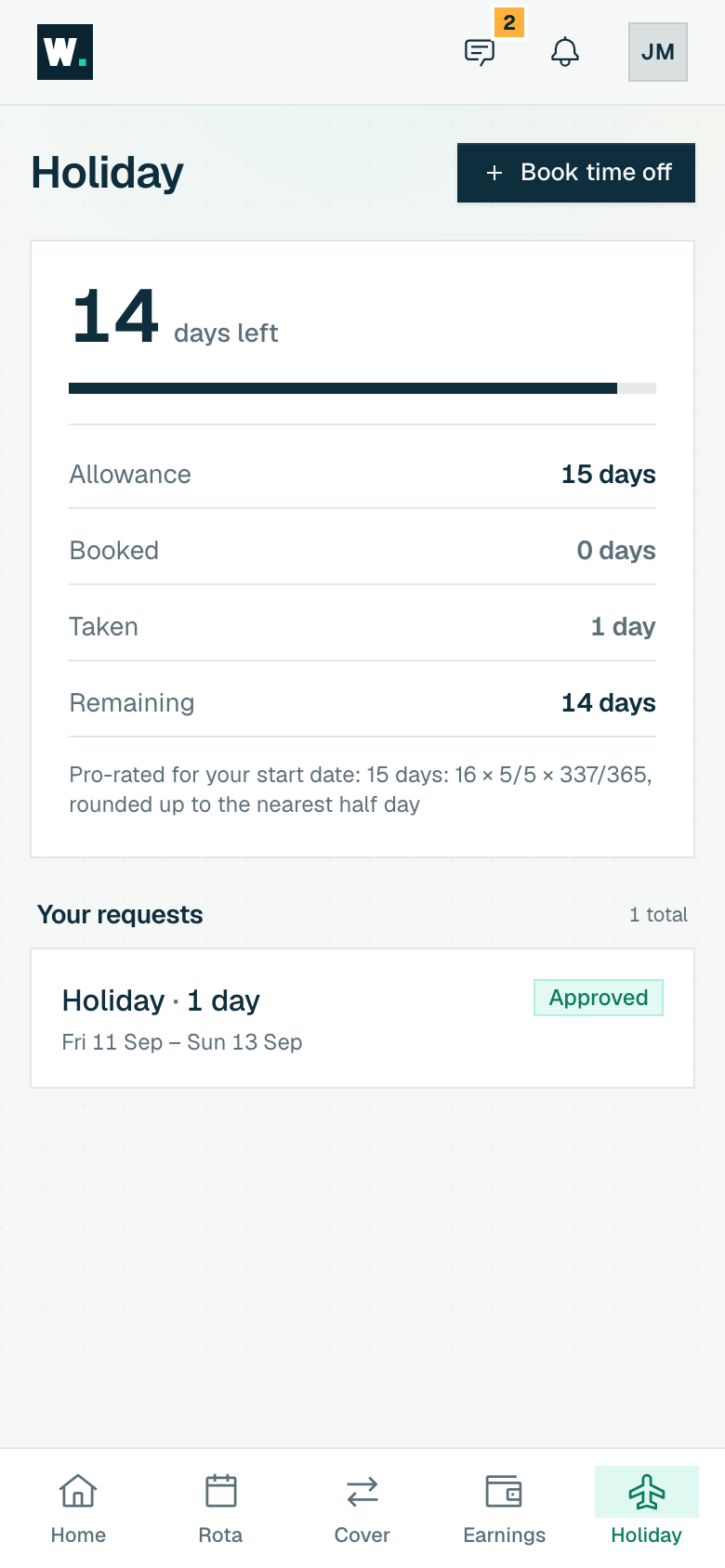
Staff see their balance and request in taps. You approve from an inbox with a clash warning. Accrual and bank holidays handled.
- Staff see their balance and request time off in two taps
- One approval inbox that warns you about rota clashes
- Accrual worked out for you, including 12.07% for irregular hours
Recorded in the live demo, with example data
Review, flag and approve. Every edit needs a reason and is logged: staff can see it too. Disputes get a paper trail.
- The week lands ready to review, flag and approve
- Every edit needs a reason and is logged where staff can see it
- Daily and weekly overtime, paid and unpaid breaks, applied by your rules
- Staff can send a corrected time with a reason; you see the pay difference and accept or decline
Recorded in the live demo, with example data
Approved hours out to your payroll in one click. Works alongside Xero, Sage & BrightPay; we never touch the pay run itself.
- A guided weekly run: fix what blocks pay, approve every clean shift in one click, then close and lock the week
- Approved hours out as a CSV in one click
- Payroll-ready files for Xero, Sage, BrightPay and QuickBooks on Core
- You keep the payroll you trust: we never run the pay run
Recorded in the live demo, with example data
If your team won't use it, nothing else matters
It installs from a link, opens on the clock-in button, and shows people an estimate of what this shift has earned so far. iPhone and Android, no app store. No smartphone? Use a kiosk tablet or the QR poster.
- Slide to clock in One gesture, then their earnings start ticking. Staff see an estimate of what the shift has earned so far.
- Their rota and swaps Shifts land on their phone, and they can swap or pick up open shifts for you to approve.
- Holiday in two taps See the balance, request the dates, get the answer. No forms, no asking the manager twice.
- They fix a missed clock-out Forgot to clock out? They send a correction with a reason, and you approve it with the pay effect shown.
Clock in
Holiday
£29 a site. Never per head.
Free for one site and up to 3 staff, for as long as you like. After that every site is £29 a month with unlimited staff, so taking someone on never moves your bill.
Your teamPer-seat toolWagePilot
3 staff~£12/moFree · 1 site
25 staff~£100/mo£29 · 1 site
80 staff~£320/mo£58 · 2 sites
Indicative only: assumes a typical per-seat tool at ~£4/user/mo (most sit £3–£6). No named competitor. Sites assumed at up to 50 staff each.
Run your own numbersFree
Start here£0 forever
One site, up to 3 staff
Over 3 staff or a second site? Move to Core at £29 a site.
- Geofenced GPS + QR clock-in
- Kiosk mode on a shared tablet
- Rota & audited timesheets
- UK holiday + Working Time Regs
- Minimum wage checks
- Live cost board for today
- Employee app & raw CSV export
Pro
Multi-site depth£59 /site, per month
Unlimited staff and sites, plus multi-site depth
What Pro addsBoth paid plans have unlimited staff. Choose Pro for what it adds, and every site is then £59.
Scale from £299/mo 10+ sites, or you need white-label and an SLA
Group pricing, white-label, dedicated onboarding & SLA.
- Free for one site, up to 3 staff
- No card to start
- Cancel anytime
- Export your data anytime
Built in the UK, for UK rules
Minimum wage, holiday, working time and record keeping are checked for you, and every change is logged.
“I built WagePilot so small teams get the rota, the clock-in and the wage bill in one place, at a price that does not move when you hire. If something is not useful, email me. You will reach a real person.”
- Holiday, worked out Allowances in hours or days, right for zero-hours staff, with 12.07% accrual for irregular-hours and part-year workers.
- Minimum wage, checked Every rate checked against the current National Minimum and Living Wage for each age band.
- Working time, flagged Rest breaks, daily rest and the 48-hour average flagged on the rota and the timesheet.
- Records, kept Minimum wage records kept for six years, as the law requires, with an evidence pack ready to download.
- UK GDPR by design
- No background tracking
- Tamper-evident history
- Encrypted, UK/EU hosted
Straight answers
What it does, what it does not, and how fast you can start.
Does WagePilot run payroll?
What size and type of business is WagePilot for?
Is it really free, or is there a catch?
How long does setup take, and do staff need to install anything?
What if someone does not have a smartphone?
Can I import my existing rota and staff?
Is there a contract or can I cancel anytime?
More questions? Read the full FAQ or email info@whealbit.co.uk.
Stop chasing hours this week
Add your site today. Within a week every shift is timed, every gap is flagged, and the week is ready for your payroll.
Free for one site, up to 3 staff · no card to start · cancel anytime