
Premium days
Add days like Christmas Eve that you pay extra on. They use your bank holiday rate in estimated pay, without changing anyone's holiday entitlement.
The standard UK bank holidays are recognised automatically. Premium days are extra dates you also pay a premium on, such as Christmas Eve, New Year's Eve or a local event day. Hours worked on them are priced at your bank holiday rate in the estimated pay and the payroll export. There is no separate premium-day rate.
Add a premium day
-
01
Open Pay & overtime
In the menu under Config, then scroll to Bank holidays and premium days.
-
02
Use a quick add
Under Premium days, click a suggested date such as Christmas Eve, Boxing Day or New Year's Eve when it is not already a bank holiday.
-
03
Or add any date
Under Add a date, pick the Date, give it a Name (optional) and click Add. Use the same form for a bank holiday the calendar misses.
-
04
Check the bank holiday premium is on
Added days are only paid extra when Bank-holiday premium is switched on in the Bank holidays section above, either as a multiplier (× rate) or a flat uplift (+ £/hr).
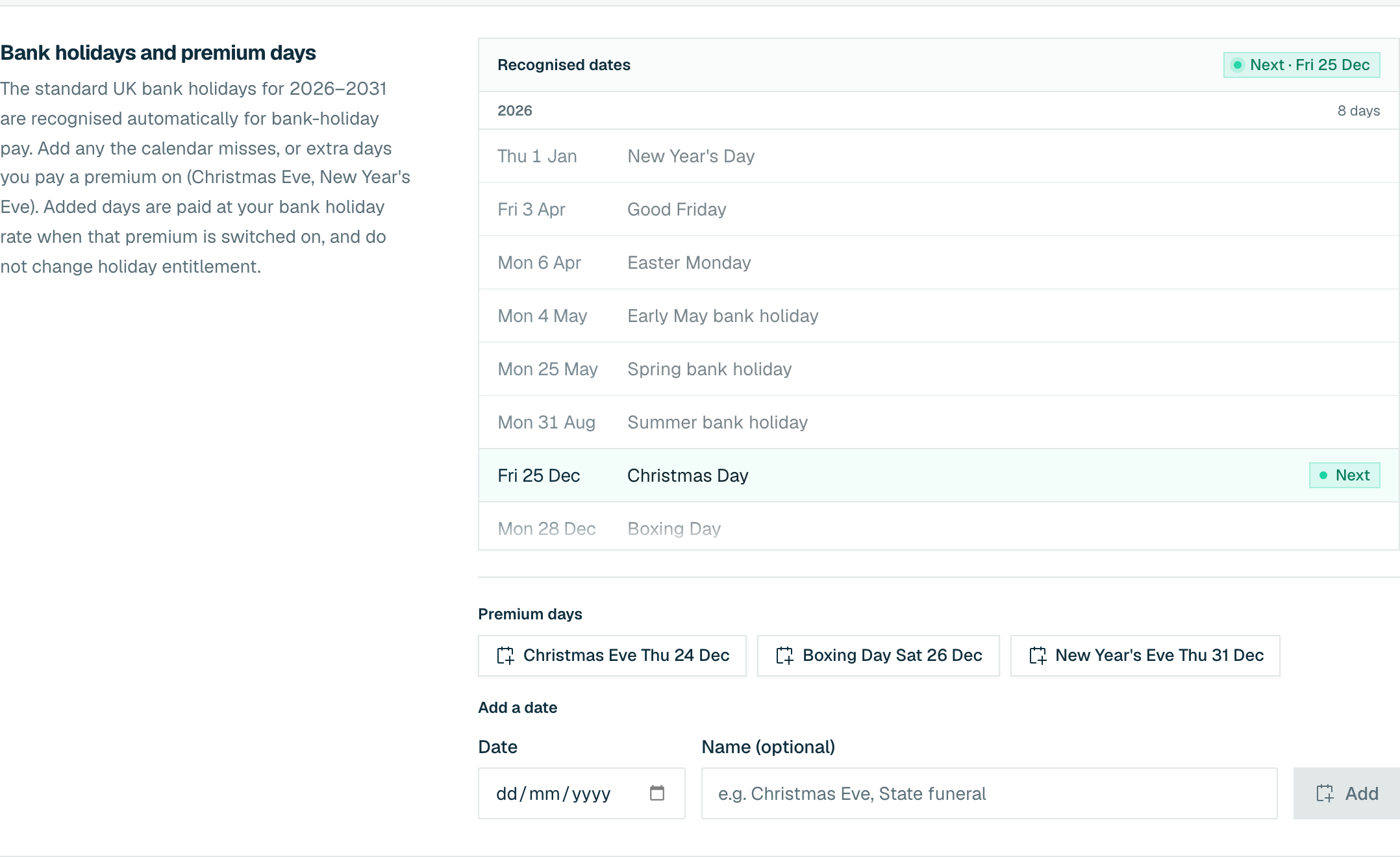
Added days appear in Recognised dates with the bank holidays, and you can remove them there. They do not change holiday entitlement.